The Main Problem
Students expect mobile apps to support their goals quickly and intuitively. Instead,
the UCSD REC app:
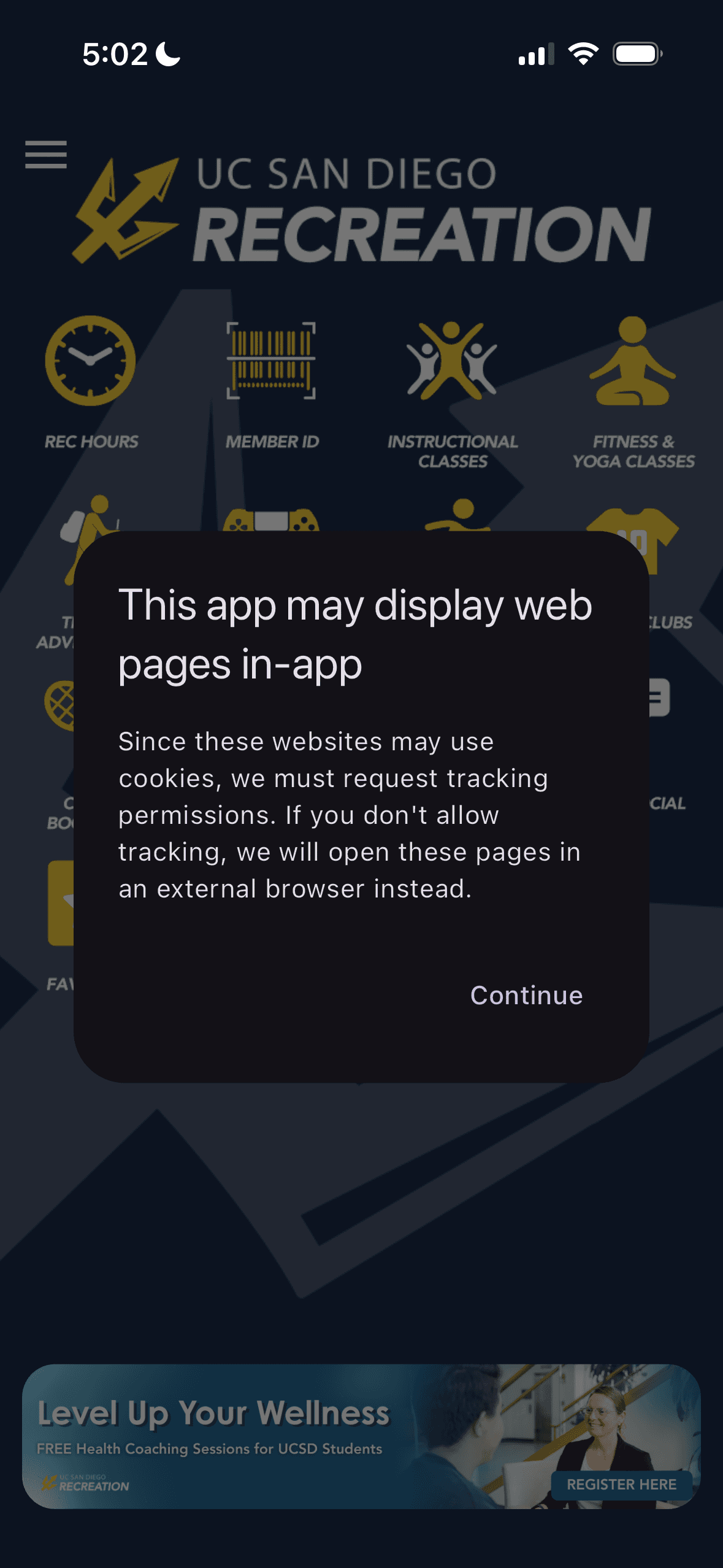
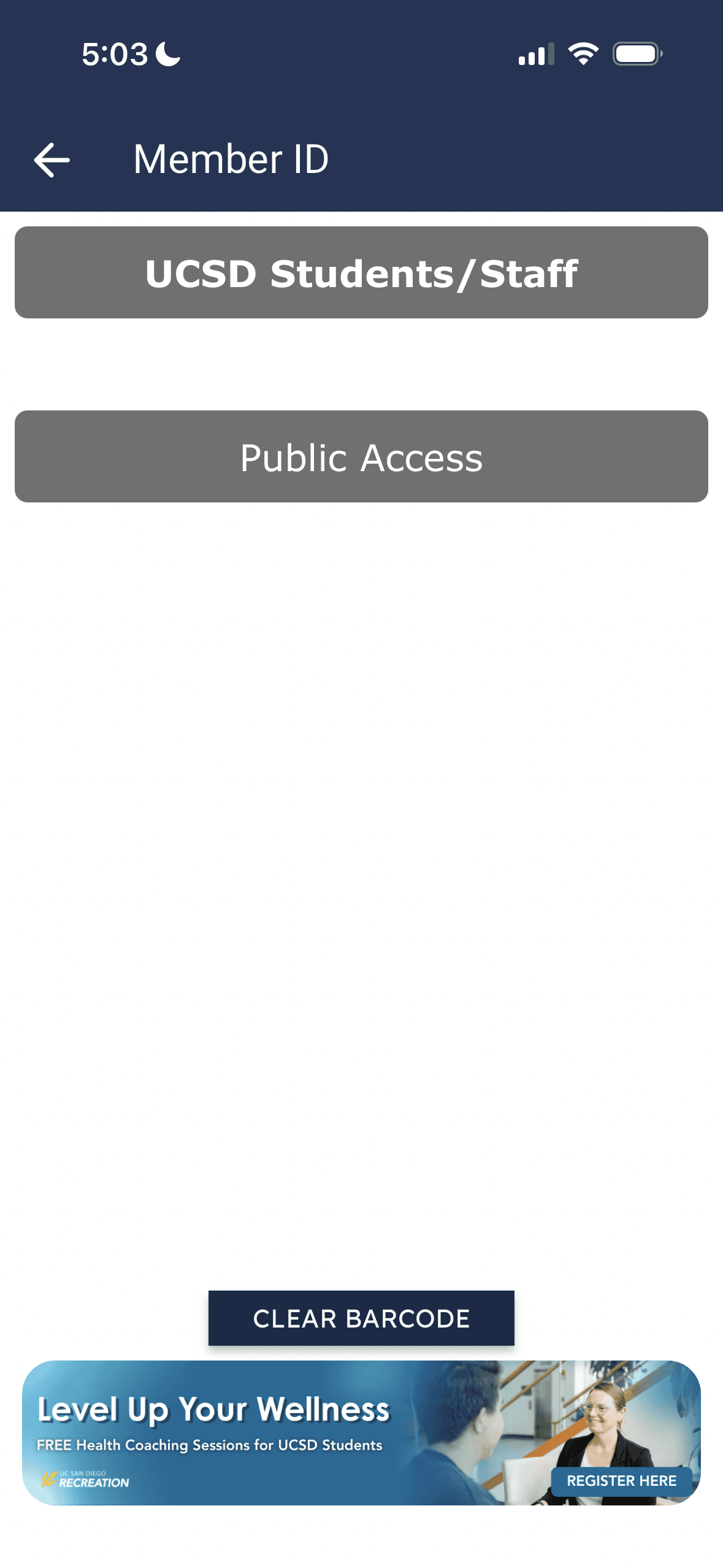
Redirects users to external websites for most actions
Makes it hard to find and book classes
Overwhelms users with too many categories and icons
Logs users out frequently with no persistent profile
Students felt confused, frustrated, and unsure why the app existed at all.
User Research 🧐🧐
The UCSD REC app is meant to help students book classes, check facility availability,
and engage in campus recreation. However, students consistently expressed
frustration with the app’s usability, especially its reliance on external browser
redirects, unclear navigation, and repeated log-ins.
Our goal was to redesign the app to feel like a real mobile experience, not just a web
wrapper, one that aligns with students’ mental models and allows them to complete
core tasks seamlessly within the app.
Why the UCSD Rec App?
UCSD Recreation
UCSD Recreation
This project was completed as part of DSGN 1 at UC San Diego, where my team and
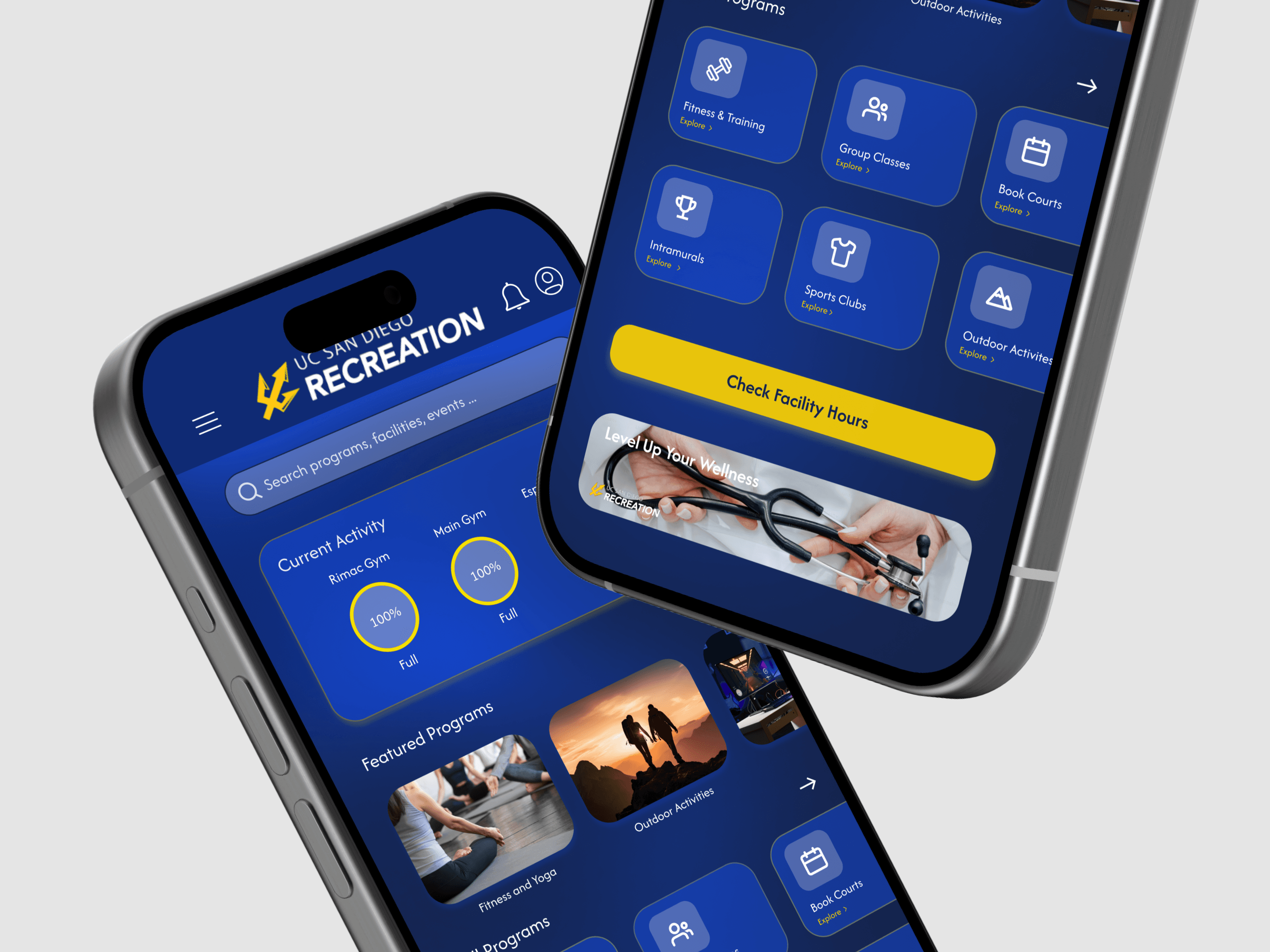
I redesigned the UCSD Recreation app to better support students’ needs around fitness, classes, and campus recreation. I served as a Researcher and Designer, guiding the design direction, synthesizing research insights, and creating the final interactive prototype.
Team:
6 UX Designers
& Researchers
Skills:
UX Research,
Prototyping,
UX and Visual
Design
Deliverables:
Key Research
Insights,
Proposed
Redesign,
Working
Prototype
Timeline:
Nov 2025 -
Dec 2025
(2 weeks)
Why the UCSD Rec App?
The UCSD REC app is meant to help students book classes, check facility availability,
and engage in campus recreation. However, students consistently expressed
frustration with the app’s usability, especially its reliance on external browser
redirects, unclear navigation, and repeated log-ins.
Our goal was to redesign the app to feel like a real mobile experience, not just a web
wrapper, one that aligns with students’ mental models and allows them to complete
core tasks seamlessly within the app.
The Main Problem
Students expect mobile apps to support their goals quickly and intuitively. Instead,
the UCSD REC app:
Redirects users to external websites for most actions
Makes it hard to find and book classes
Overwhelms users with too many categories and icons
Logs users out frequently with no persistent profile
Students felt confused, frustrated, and unsure why the app existed at all.
Key Takeaways 🔑🔑
01 - Research
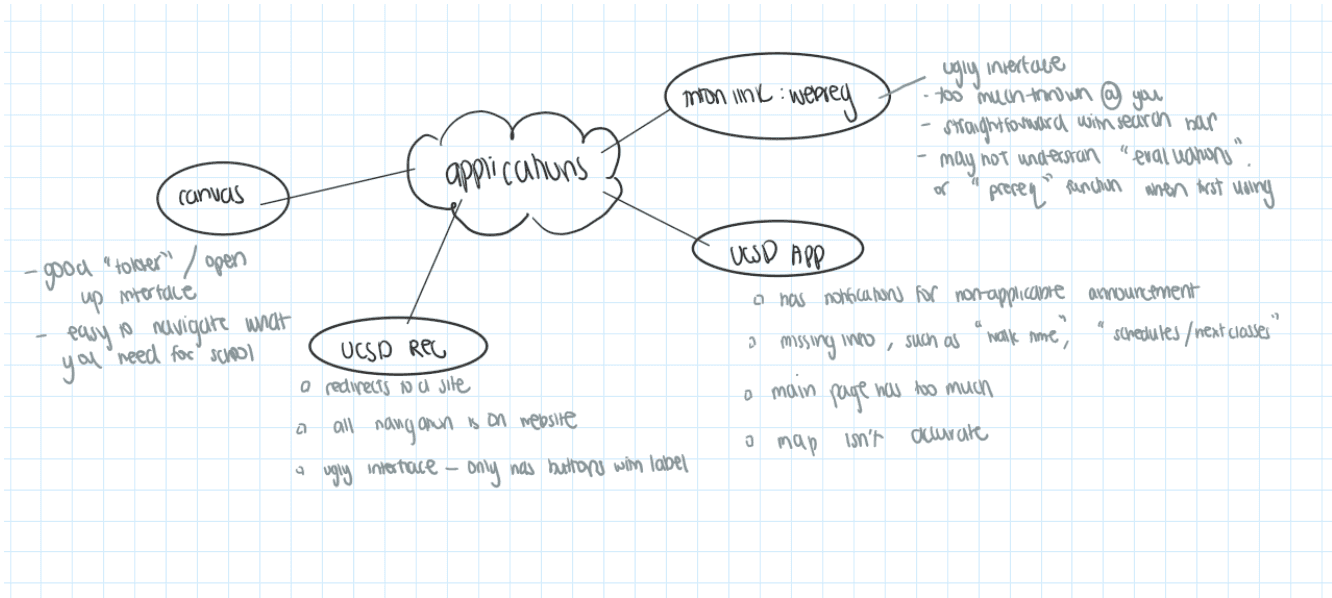
We conducted 18 interviews to better understand what users thought about the
current app
Our research methods included:
Semi-structured Interviews
Task-based usability observation
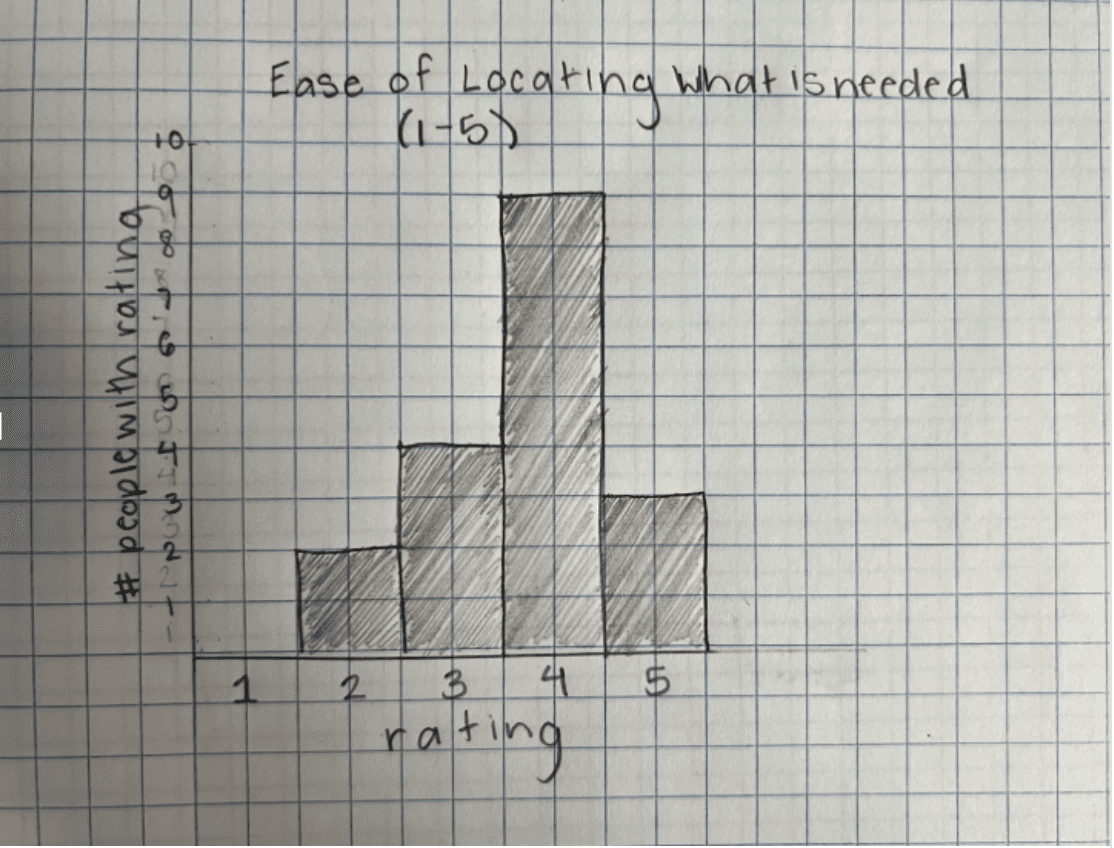
Likert-scale usability ratings
Qualitative behavioral notes/obervations
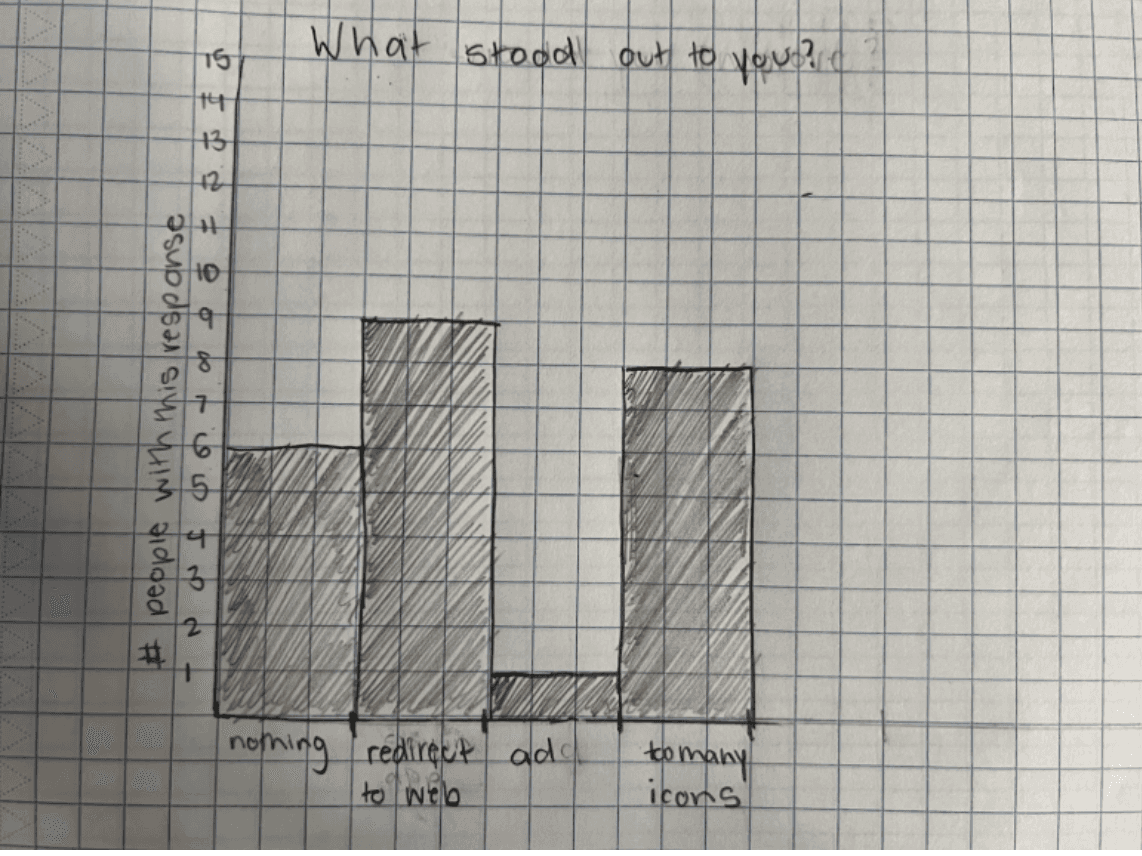
9/18 users were frustrated by constant redirection to Safari
9/18 users relied on website search & filters not available in the app
8/18 users ignored most app buttons due to overload
15/18 users liked the icons - but found them overwhelming
Users consistently experienced:
Rule-based mistakes (misunderstanding how the app works)
Knowledge-based mistakes (unclear categories)
Qualitative Data Chart
Qualitative Data Chart
Quantitative Data Chart
Quantitative Data Chart
‼️Problem‼️
Pain Points 😣 😣
"How Might We?"
Poor alignment between
the action a user expects
vs what action is
performed
1
Too many symbols and
icons but not enough
information in the actual
app
2
No persistant login
or profile system for
users to save or remember
information
3
Students want to quickly access recreation information and book activities, but the
UCSD REC app fails to support these core tasks within the app itself.
How might we redesign the UCSD REC app to reduce friction, align with students’ mental models, and allow users to complete core recreation tasks seamlessly within the app?
02 - Problem, Pain Points, "How Might We?"
02 - Problem, Pain Points, "How Might We?"
Ideation Themes 🤔🤔
Lo-fi Wireframe Sketches
Lo-fi Wireframe Sketches
03 - Ideation
Since we only had 2 weeks to complete this redesign, we decided to focus on the
key frames that addressed the main problem and pain points regarding the UCSD
Rec App.
After making the initial sketches, we discussed as a team to see what we might want to change or implement in the design. From there, we made our Hi-Fi mockups.
We initially sketched out the designs for the key frames we wanted to include.
We grounded our Ideation to focus on four main themes:
Eliminate external browser dependency
Prioritize most-used features (busyness, booking, ID)
Reduce visual clutter without removing useful icons
Support personalization and filtering
We grounded our Ideation to focus on four main themes:
Eliminate external browser dependency
Prioritize most-used features (busyness, booking, ID)
Reduce visual clutter without removing useful icons
Support personalization and filtering
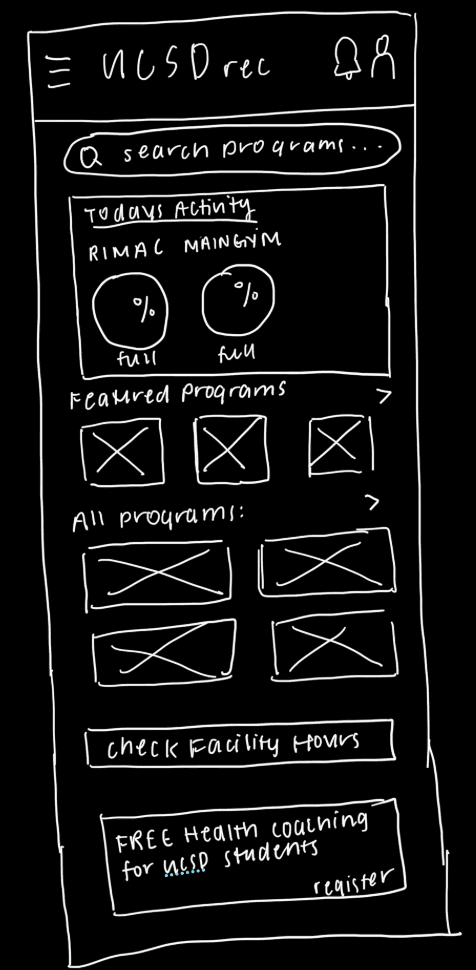
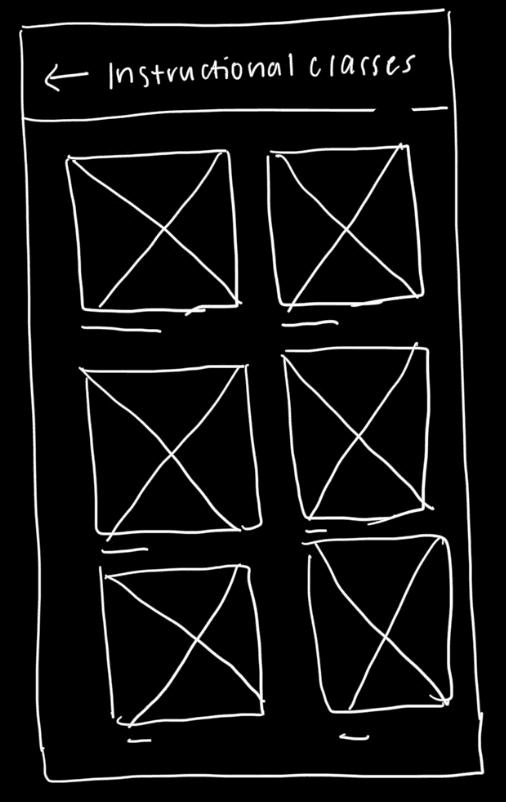
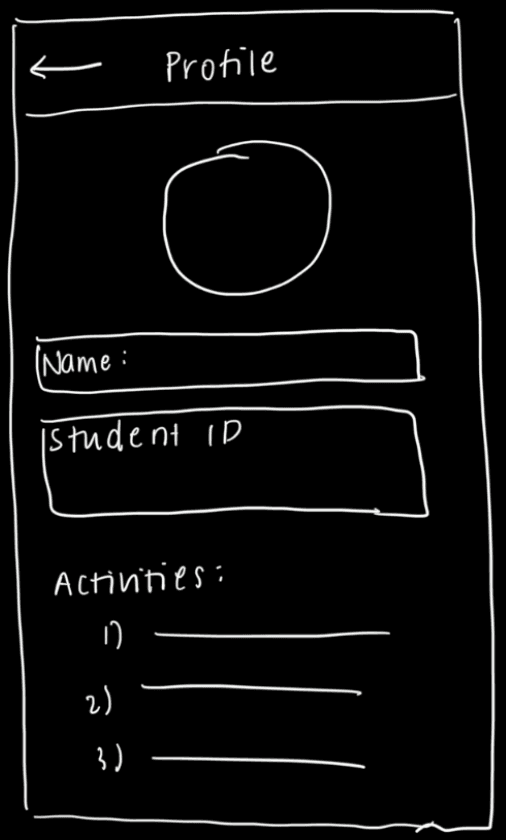
We initially sketched out the designs for the
key frames we wanted to include.
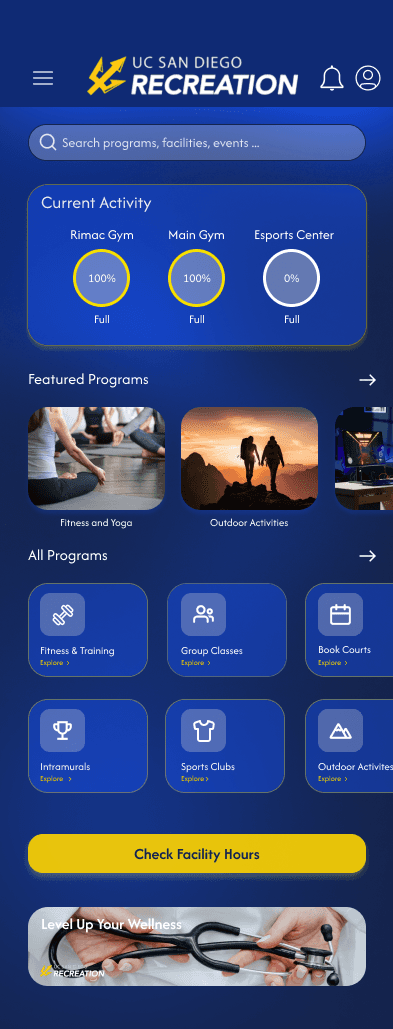
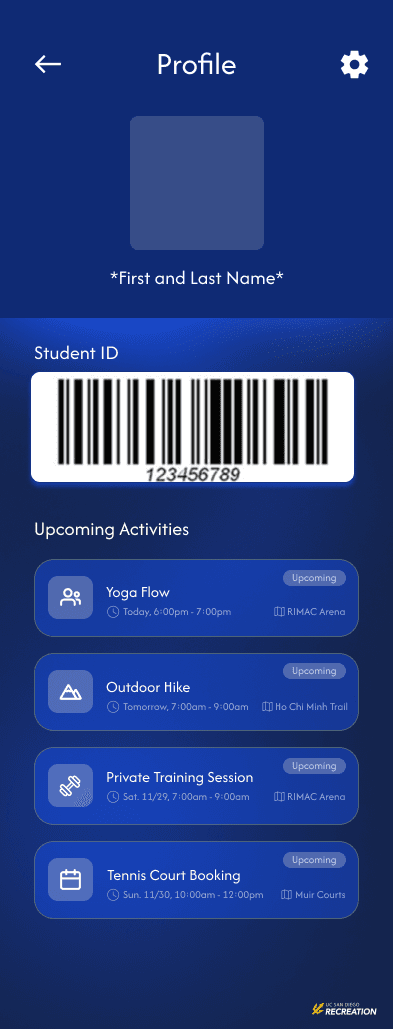
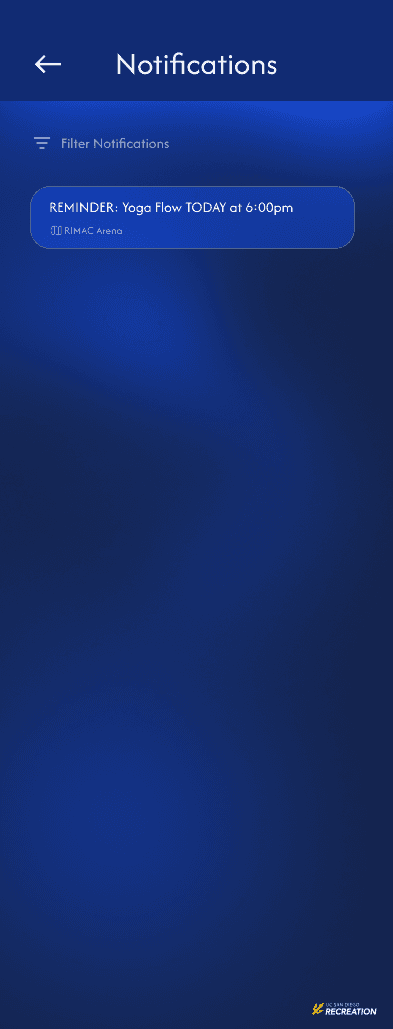
The redesign transforms the app into a fully functional mobile experience that
supports students’ most common goals without leaving the app:
Live facility busyness displayed at the top of the home screen
Integrated class search & booking (no Safari redirects)
Persistent profile with saved member ID and upcoming classes
Filters & personalization to manage many recreation options
Notifications for class reminders and special events
The redesign transforms the app into a fully functional mobile experience that
supports students’ most common goals without leaving the app:
Live facility busyness displayed at the top of the home screen
Integrated class search & booking (no Safari redirects)
Persistent profile with saved member ID and upcoming classes
Filters & personalization to manage many recreation options
Notifications for class reminders and special events
Home Page
Home Page
Profile Page
Profile Page
Notifications Page
Group Class Page
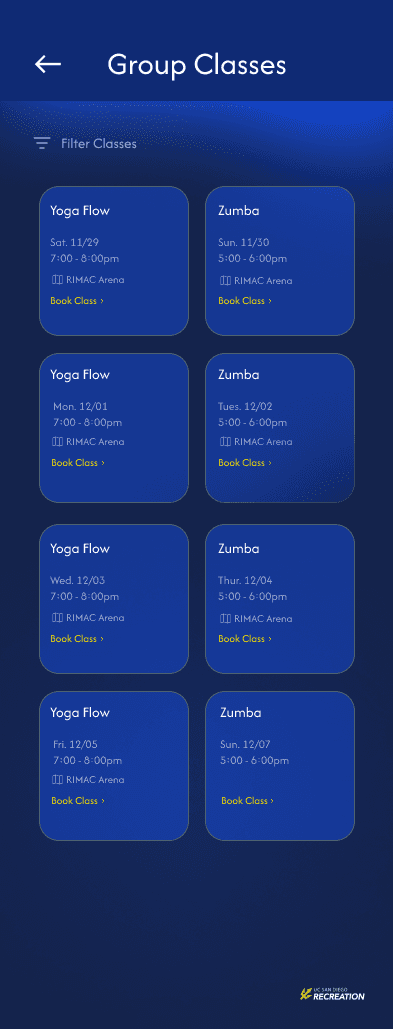
Hi-Fi Mockups
04 - Final Product
Expand Key User Flows with Additional Frames
High Fidelity Usability Testing
High Fidelity Usability Testing
Accessibility and Compliance Review
Accessibility and Compliance
Review
05 - Future Steps
06 - Why does this redesign matter?
Due to the two-week project timeline, the design focused on core screens rather than
fully fleshed-out end-to-end flows. A key next step would be to create additional frames
to cover:
Complete class booking and cancellation flows
First-time user onboarding and permissions
Accessibility states (focus, contrast, dynamic text)
An expanded set of frames would support a thorough accessibility audit, ensuring
consistency across states and interactions and aligning the design with WCAG
standards.
The UCSD Rec App plays an important role in connecting students to campus wellness resources, yet usability issues can make accessing those resources unnecessarily difficult. When students struggle to find open facilities, understand availability, or book classes efficiently, engagement drops - regardless of how valuable the services are.
This project matters because it focuses on reducing friction in everyday student interactions. By prioritizing clarity, speed, and intuitive navigation, the redesign aims to make wellness more accessible and easier to integrate into student routines. Even small improvements in usability can have a meaningful impact when the product serves a large campus population.
With more time, expanded frames would enable usability testing across entire tasks
rather than isolated screens. This would allow us to validate:
User confidence during multi-step actions
Points of friction not visible in single screens
With more time, expanded frames would enable usability testing across entire tasks
rather than isolated screens. This would allow us to validate:
User confidence during multi-step actions
Points of friction not visible in single screens
Due to the two-week project timeline, the design focused on core screens rather than
fully fleshed-out end-to-end flows. A key next step would be to create additional frames
to cover:
Complete class booking and cancellation flows
First-time user onboarding and permissions
Accessibility states (focus, contrast, dynamic text)
An expanded set of frames would support a thorough accessibility audit, ensuring
consistency across states and interactions and aligning the design with WCAG
standards.
06 - Why does this redesign matter?
Expand Key User Flows with
Additional Frames
While we were able to address the core usability issues during our short time on this
project, there are several opportunities to further validate our solution.
We conducted 18 interviews to better understand what users thought about the
current app
Our research methods included:
Semi-structured Interviews
Task-based usability observation
Likert-scale usability ratings
Qualitative behavioral notes/obervations
How might we redesign the UCSD REC app to reduce friction, align with students’ mental models, and allow users to complete core recreation tasks seamlessly within the app?
The UCSD Rec App plays an important role in connecting students to campus wellness resources, yet usability issues can make accessing those resources unnecessarily difficult. When students struggle to find open facilities, understand availability, or book classes efficiently, engagement drops - regardless of how valuable the services are.
This project matters because it focuses on reducing friction in everyday student interactions. By prioritizing clarity, speed, and intuitive navigation, the redesign aims to make wellness more accessible and easier to integrate into student routines. Even small improvements in usability can have a meaningful impact when the product serves a large campus population.
Students want to quickly access recreation information and book activities, but the
UCSD REC app fails to support these core tasks within the app itself.
While we were able to address the core usability issues during our short time on this
project, there are several opportunities to further validate our solution.